

765 字
4 分钟
LLDB
一:前言
- 平时我们进行开发的时候可以通过Xcode进行断点设置。
- 但我们在进行逆向研究的时候,并没有源码不能直接进行断点调试。
- 这时候我们就需要使用LLDB进行断点设置
二、符号断点相关指令
2.1 单个符号断点
breakpoint set -n funcname
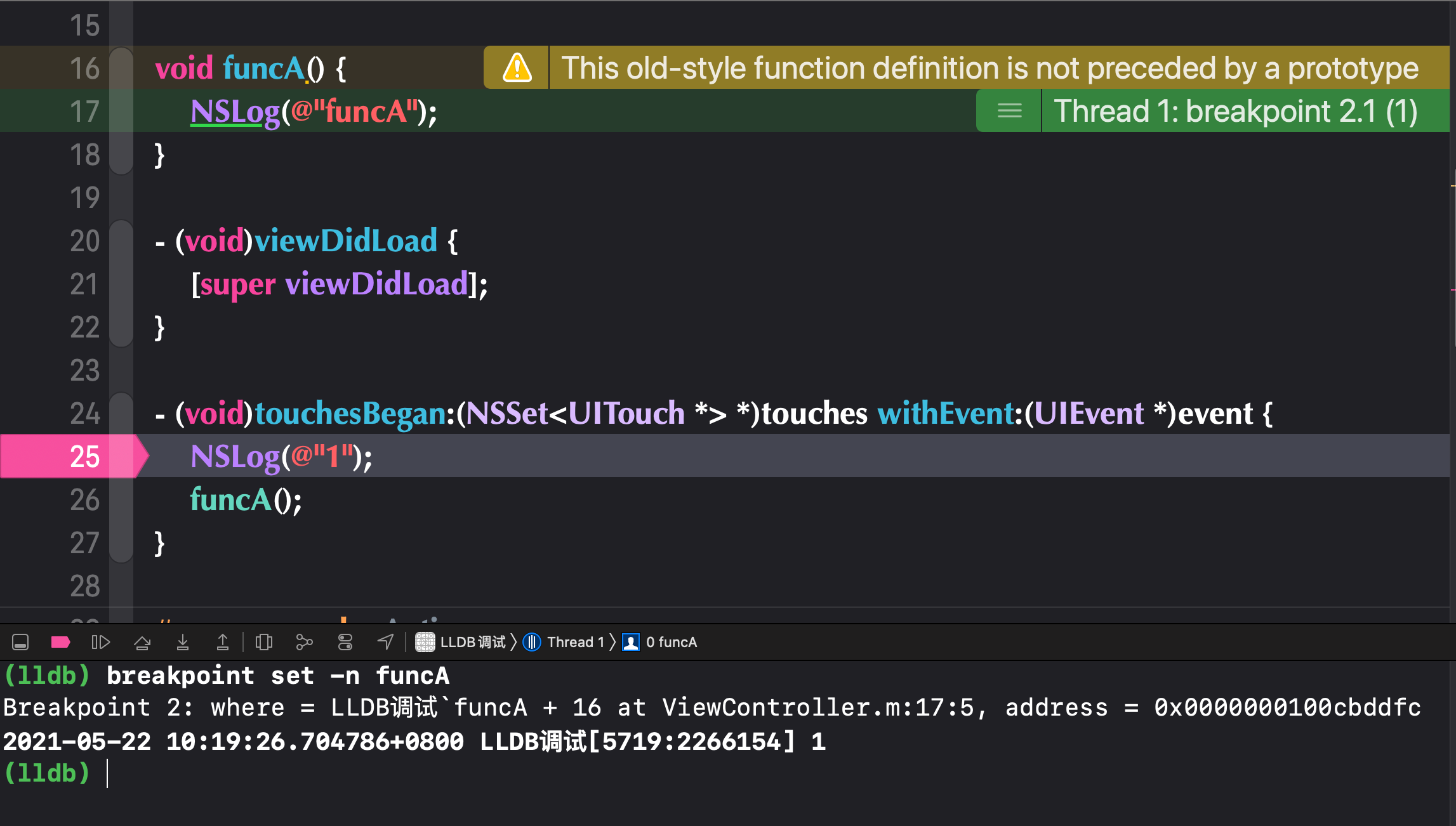
2.2 一组符号断点
breakpoint set -n funcname -n funcname -n funcname -n funcname
这种方便对一个流程进行断点,同时开启和禁用一组断点
(lldb) breakpoint set -n "[ViewController saceAction:]" -n "[ViewController stopAction:]" -n "[ViewController goonAction:]"Breakpoint 3: 3 locations.
---
3: names = {'[ViewController saceAction:]', '[ViewController saceAction:]', '[ViewController saceAction:]', '[ViewController stopAction:]', '[ViewController stopAction:]', '[ViewController stopAction:]', '[ViewController goonAction:]', '[ViewController goonAction:]', '[ViewController goonAction:]'}, locations = 3, resolved = 3, hit count = 0 3.1: where = LLDB调试`-[ViewController saceAction:] + 60 at ViewController.m:32:5, address = 0x0000000100c99ecc, resolved, hit count = 0 3.2: where = LLDB调试`-[ViewController stopAction:] + 60 at ViewController.m:36:5, address = 0x0000000100c99f24, resolved, hit count = 0 3.3: where = LLDB调试`-[ViewController goonAction:] + 60 at ViewController.m:40:5, address = 0x0000000100c99f7c, resolved, hit count = 02.3 c
Continue
2.4 查看断点
- breakpoint list
- 查看断点列表
- 第一个数字为断点id
- 查看断点列表
2.5 删除
- delete
- 删除全部
- delete id
- 删除指定id的断点
2.6 禁用
breakpoint disable 加id 禁用一组或一个
breakpoint disable 禁用全部
2.7 激活
breakpoint enable 启用全部
加id启用单个
2.8 包含指令
breakpoint set -r touchesBegan:withEvent:
会对所有方法名包含这个的
可简写:b -r xxx
2.9 selector
breakpoint set --selector touchesBegan:withEvent:
整个项目中的同名selector
2.10 指定文件selector
breakpoint set --file ViewController.m --selector stopAction:
一般逆向不知道用不上。
2.11 下一步
n
2.- 产看更多指令
help breakpoint
三、执行代码
- expression
- 就是常用的
p,可以用来执行代码
- 就是常用的
四、堆栈
4.1 bt
查看堆栈信息
4.2 查看当前作用域内的变量信息
frame variable
4.3 直接返回不执行后面的代码,提前返回
thread return
可以在调试阶段,绕过检测。在逆向调试时很有用。
五、内存断点
5.1 对象set方法断点
watchpoint set varible 对象->属性
5.2 地址断点
watchpoint set expression 0x...
当该地址被访问的时候就会触发
其他用法和符号断点类似
六、target stop-hook
6.1 target stop-hook add
- 在断点内添加一段指令,每当断点触发就会调用这段指令
(lldb) target stop-hook add -o "frame variable"Stop hook #1 added.(lldb) n2021-05-22 11:31:12.733658+0800 LLDB调试[5728:2271351] 1(ViewController *) self = 0x000000012dd0f590(SEL) _cmd = "touchesBegan:withEvent:"(__NSSetM *) touches = 0x00000002816feae0 1 element(UITouchesEvent *) event = 0x00000002823caf40
(lldb) n2021-05-22 11:31:15.528090+0800 LLDB调试[5728:2271351] funcA(ViewController *) self = 0x000000012dd0f590(SEL) _cmd = "touchesBegan:withEvent:"(__NSSetM *) touches = 0x00000002816feae0 1 element(UITouchesEvent *) event = 0x00000002823caf406.2 target stop-hook list
(lldb) target stop-hook listHook: 1 State: enabled Commands: frame variable(lldb)6.3 target stop-hook delete
(lldb) target stop-hook listHook: 1 State: enabled Commands: frame variable(lldb) target stop-hook delete 1(lldb) target stop-hook listNo stop hooks.6.4 undisplay
- 和delete类似
(lldb) target stop-hook add -o "frame variable"Stop hook #2 added.(lldb) target stop-hook listHook: 2 State: enabled Commands: frame variable(lldb) undisplay 2(lldb) target stop-hook listNo stop hooks.(lldb)七、LLDB初始化配置
- cd到根目录下
cd ~
- 修改
.lldbinit文件- 没有就创建
- 添加指令
- 如:
target stop-hook add -o "frame variable"
- 如:
- 保存
- 就不用每次都自己去加了
- 不要的话去文件中删掉即可