

768 字
4 分钟
索引条:手势及clamp函数
前言
在进行类似联系人页面的开发过程中,我们经常会遇到侧边栏索引条。在iOS中我们只需要简单设置即可使用系统提供的控件。
这里我们使用 Flutter 自定义一个索引条,来熟悉一些常用的知识点。
一、 一个索引条包含什么?
- 数据源
- 索引数组
- 点击手势
- 滑动手势
- 事件回调
二、 开始布局
索引条展示的数据是可变的,所以这里我们使用有状态的Widget进行布局。这里以 Container + Column 进行基础封装,看看效果。
import 'package:flutter/material.dart';
class IndexBar extends StatefulWidget { IndexBar({ required this.dataSource, });
final List<String> dataSource; final double _indexItemHeight = 22;
@override _IndexBarState createState() => _IndexBarState();}
class _IndexBarState extends State<IndexBar> { List<Widget> _indexsWidgets = [];
@override void initState() { super.initState();
for (int i = 0; i < widget.dataSource.length; i++) { _indexsWidgets.add(Container( height: widget._indexItemHeight, child: Text( widget.dataSource[i], style: const TextStyle(color: Colors.grey), ), )); } }
@override Widget build(BuildContext context) { return GestureDetector( onTapUp: (details) { RenderBox box = context.findRenderObject() as RenderBox; Offset point = box.globalToLocal(details.globalPosition); double y = point.dy; // 在当前 Widget 内的 Offset print(y); }, child: Container( width: 22, color: const Color.fromRGBO(1, 1, 1, 0.2), child: Column( mainAxisAlignment: MainAxisAlignment.center, crossAxisAlignment: CrossAxisAlignment.center, children: _indexsWidgets, ), ), ); }}基础使用,传入索引数组:
@override Widget build(BuildContext context) { return Scaffold( ... body: Stack( children: [ Container(...), Align( alignment: Alignment.centerRight, child: Column( mainAxisAlignment: MainAxisAlignment.center, children: [ IndexBar(dataSource: _indexs) ], ), ), ], ) ); }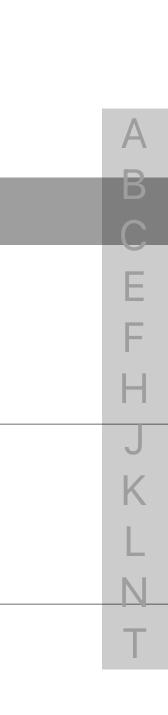
这里我们完成了基础布局,和数据源的传入,下面我们继续完善。
三、 点击事件
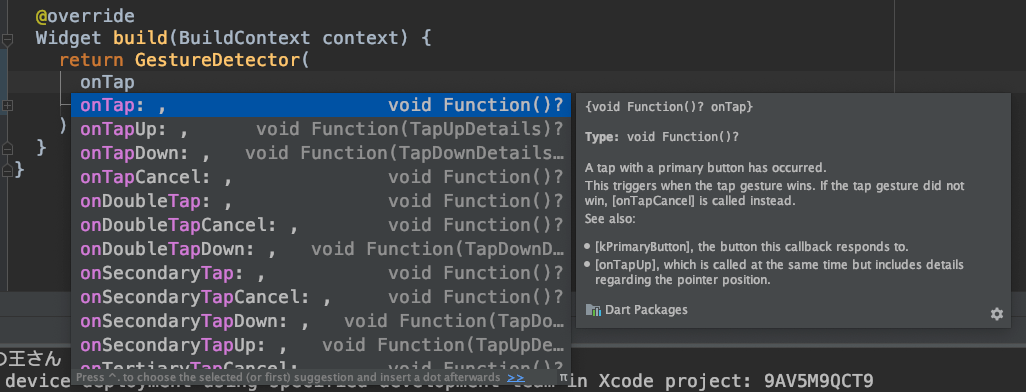
这里我们需要定位到具体点击了哪个 index 所以 onTap 不能够满足,这里通过注释我们可以发现 onTapUp 回调带有更多信息。我们使用这个进行点击事件的处理
typedef GestureTapUpCallback = void Function(TapUpDetails details);
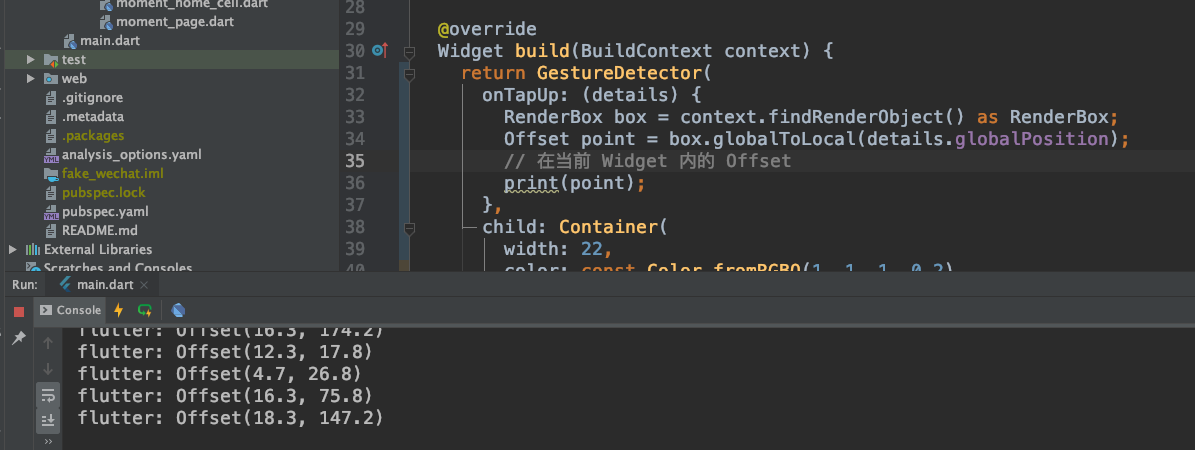
现在我们能够获取点击坐标了,接下来进行计算获得具体 index。
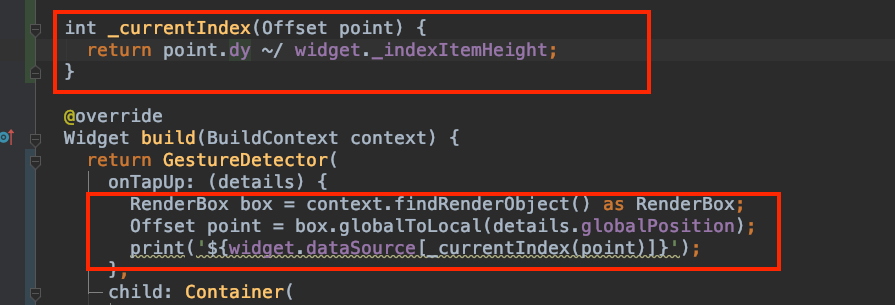
flutter: Lflutter: Nflutter: Eflutter: Bflutter: Jflutter: Lflutter: Jflutter: Kflutter: Nflutter: Jflutter: F四、 滑动事件
和点击事件类似,这里我们添加一下滑动选择事件:
onVerticalDragUpdate: (details) { RenderBox box = context.findRenderObject() as RenderBox; Offset point = box.globalToLocal(details.globalPosition); print('onVerticalDragUpdate${widget.dataSource[_currentIndex(point)]}');},onTapUp: (details) { RenderBox box = context.findRenderObject() as RenderBox; Offset point = box.globalToLocal(details.globalPosition); print('onTapUp${widget.dataSource[_currentIndex(point)]}');},测试有效:
flutter: onVerticalDragUpdateFflutter: onVerticalDragUpdateFflutter: onVerticalDragUpdateHflutter: onVerticalDragUpdateHflutter: onVerticalDragUpdateH五、 事件回调
内部的事件处理完成了,我们来来添加一下外部的回调:
定义回调类型
typedef IndexBarSelectCallBack = void Function(int index, String title);
class IndexBar extends StatefulWidget { IndexBar({ required this.dataSource, required this.callBack });
final List<String> dataSource; final double _indexItemHeight = 22; final IndexBarSelectCallBack callBack;
@override _IndexBarState createState() => _IndexBarState();}调整事件处理及回调
onVerticalDragUpdate: (details) { RenderBox box = context.findRenderObject() as RenderBox; Offset point = box.globalToLocal(details.globalPosition); int index = _currentIndex(point); String title = widget.dataSource[index]; widget.callBack(index, title);},onTapUp: (details) { RenderBox box = context.findRenderObject() as RenderBox; Offset point = box.globalToLocal(details.globalPosition); int index = _currentIndex(point); String title = widget.dataSource[index]; widget.callBack(index, title);},外部传入回调
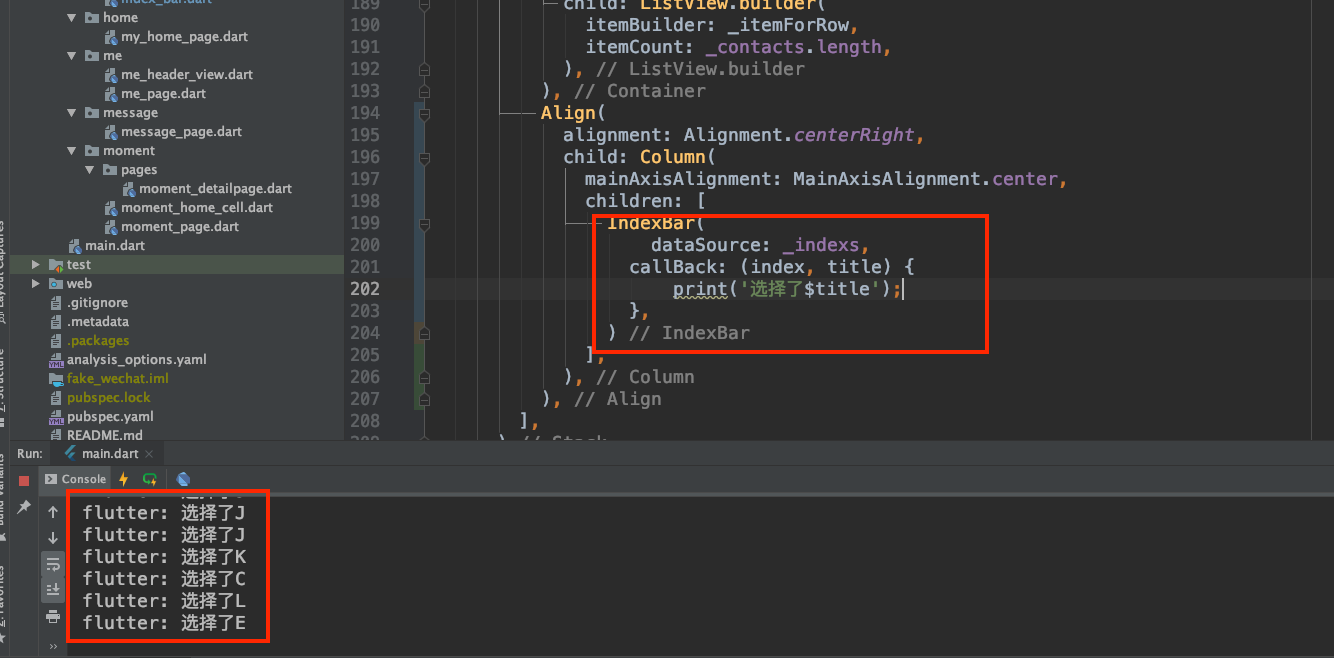
六、 Clamp 函数
在滑动偏移过大超出范围的时候会发生越界,出现下面的警告
RangeError (index): Invalid value: Not in inclusive range 0..10: 14
这里安利一个很好用的函数 clamp 来对方法 _currentIndex(Offset point) 进行一下优化:
int _currentIndex(Offset point) { return (point.dy ~/ widget._indexItemHeight).clamp(0, widget.dataSource.length - 1);}这样就对返回的值的范围作出了限制。