

550 字
3 分钟
ListView滑动到指定位置
前言
在进行列表视图的开发场景中,通过索引快速滑动到指定 section 是常见的功能。那么在 flutter 中我们该如何实现这种功能呢? 本文就将以联系人页面为例进行讲解。

分析ListView
在 iOS 开发中我们常使用 open func scrollToItem(at indexPath: IndexPath, at scrollPosition: UICollectionView.ScrollPosition, animated: Bool) 这类方法来实现 CollectionView 和 TableView 下的滚动到指定位置的效果。
但 flutter 的 ListView 并不含有这种分组的概念,也没有提供这种便利的方法,但是有基础API可以为我们提供一些思路。
ScrollController
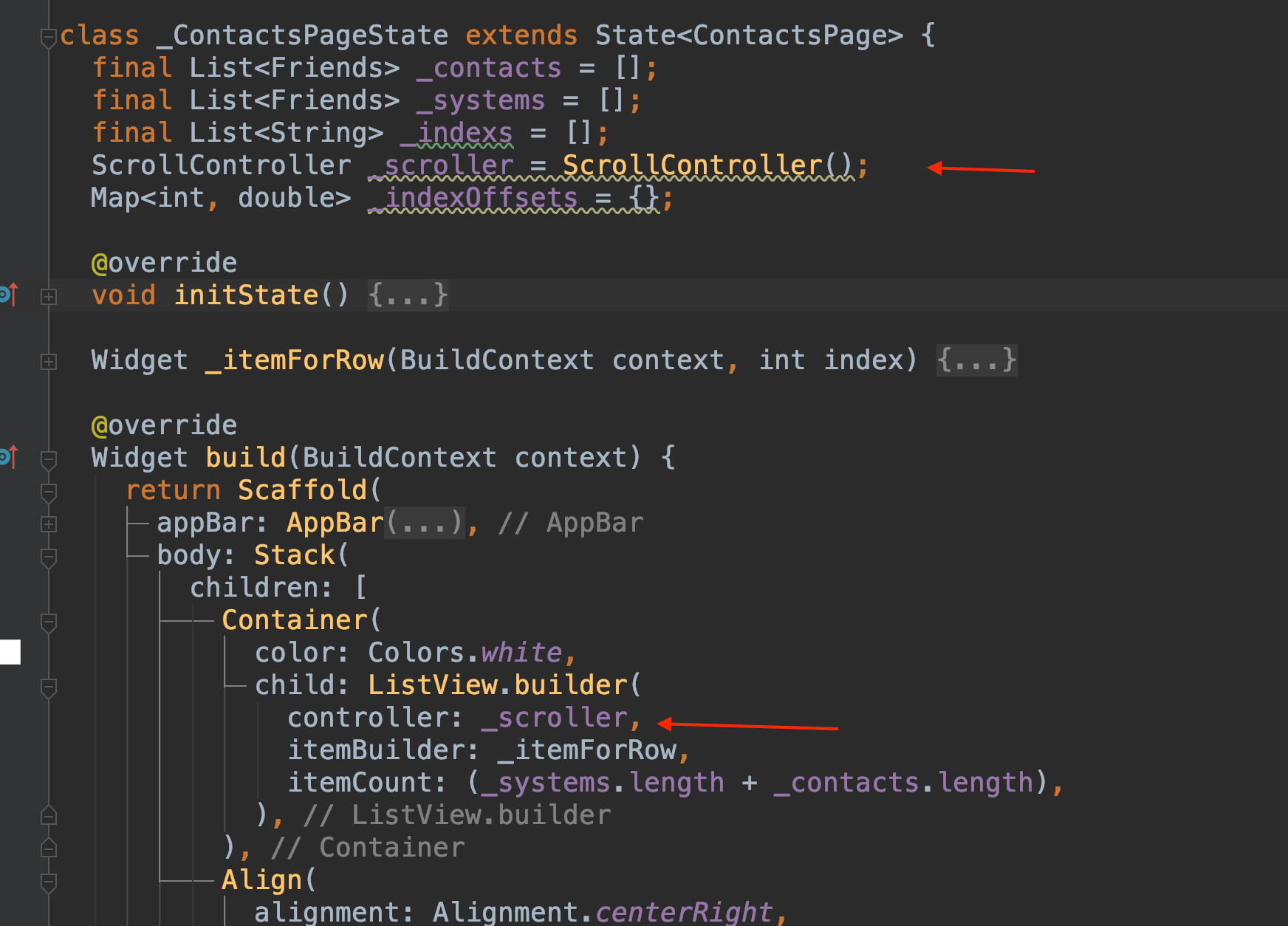
我们可以在为 ListView 绑定一个 ScrollController ,它的作用可以理解为我们进行 iOS 开发中的 相关代理,但是他的作用会更富一些。
为来滚动到指定位置,这里提供了两个 API,更具体的说明可以点进头文件查看注释,这里就不再赘述。
animateTo
有动画
Future<void> animateTo( double offset, { required Duration duration, required Curve curve, }) async { assert(_positions.isNotEmpty, 'ScrollController not attached to any scroll views.'); await Future.wait<void>(<Future<void>>[ for (int i = 0; i < _positions.length; i += 1) _positions[i].animateTo(offset, duration: duration, curve: curve), ]); }jumpTo
无动画
void jumpTo(double value) { assert(_positions.isNotEmpty, 'ScrollController not attached to any scroll views.'); for (final ScrollPosition position in List<ScrollPosition>.from(_positions)) position.jumpTo(value); }这里为了实现通讯录滑动到组头部的效果,选择使用 jumpTo。
提前计算好每组的偏移量
class _ContactsPageState extends State<ContactsPage> { final List<Friends> _contacts = [];// 联系人数组 final List<Friends> _systems = []; // 顶部系统入口数组 final List<String> _indexs = []; // 索引 ScrollController _scroller = ScrollController(); Map<int, double> _indexOffsets = {}; // 偏移量Map
@override void initState() { super.initState();
double offsetY = 0;
_contacts ..addAll(friendsData) ..addAll(friendsData) ..sort((a, b) { if (a.indexLetter == null || b.indexLetter == null) { return 0; } return a.indexLetter!.compareTo(b.indexLetter!); });
_systems .addAll(friendsHeaderData);
offsetY = ContactCell.baseCellHeight * friendsHeaderData.length.toDouble();// 第一个联系人组的顶部偏移量为顶部系统入口的总高度
var index = 0;
_contacts.forEach((element) { if (element.indexLetter != null && _indexs.contains(element.indexLetter) == false) { _indexs.add(element.indexLetter!);
_indexOffsets.addAll({ index : offsetY });
index += 1; // 基础Cell高度,加上顶部分组头部高度 offsetY += ContactCell.baseCellHeight + ContactCell.indexHeight; } else { // 基础Cell高度 offsetY += ContactCell.baseCellHeight; } }); }
...}IndexBar的事件处理
IndexBar( dataSource: _indexs, callBack: (index, title) { if (_indexOffsets[index] != null) { _scroller.jumpTo(_indexOffsets[index]!); } },)