

431 字
2 分钟
调用原生相册
MethodChannel
Flutter 与原生交互的通道是 MethodChannel。下面我们通过调用 iOS 原生相册选择来体验一下。
示例代码
定义一个Channel
MethodChannel _channel = const MethodChannel('mine_header/channel');给原生发送指令
_channel.invokeMapMethod('sel_avatar');原生处理指令
import UIKitimport Flutter
/// 这里将指令用 枚举包装,便于使用enum MineChannelMethod: String { case AvatarPick = "sel_avatar"}
@UIApplicationMain@objc class AppDelegate: FlutterAppDelegate { override func application( _ application: UIApplication, didFinishLaunchingWithOptions launchOptions: [UIApplication.LaunchOptionsKey: Any]? ) -> Bool { GeneratedPluginRegistrant.register(with: self)
if let flutterVC = window?.rootViewController as? FlutterViewController, let messenger = flutterVC as? FlutterBinaryMessenger { // 实例化 channel let mineChannel = FlutterMethodChannel.init(name: "mine_header/channel", binaryMessenger: messenger) mineChannel.setMethodCallHandler { call, result in guard call.method.isEmpty == false, let method = MineChannelMethod(rawValue: call.method) else { return }
switch method { case .AvatarPick: let picker = UIImagePickerController() picker.modalPresentationStyle = .overFullScreen picker.delegate = self flutterVC.present(picker, animated: true, completion: nil) }
} }
return super.application(application, didFinishLaunchingWithOptions: launchOptions) }}
extension AppDelegate: UIImagePickerControllerDelegate, UINavigationControllerDelegate { func imagePickerController(_ picker: UIImagePickerController, didFinishPickingMediaWithInfo info: [UIImagePickerController.InfoKey : Any]) { picker.dismiss(animated: true, completion: nil) }
func imagePickerControllerDidCancel(_ picker: UIImagePickerController) { picker.dismiss(animated: true, completion: nil) }}检验效果
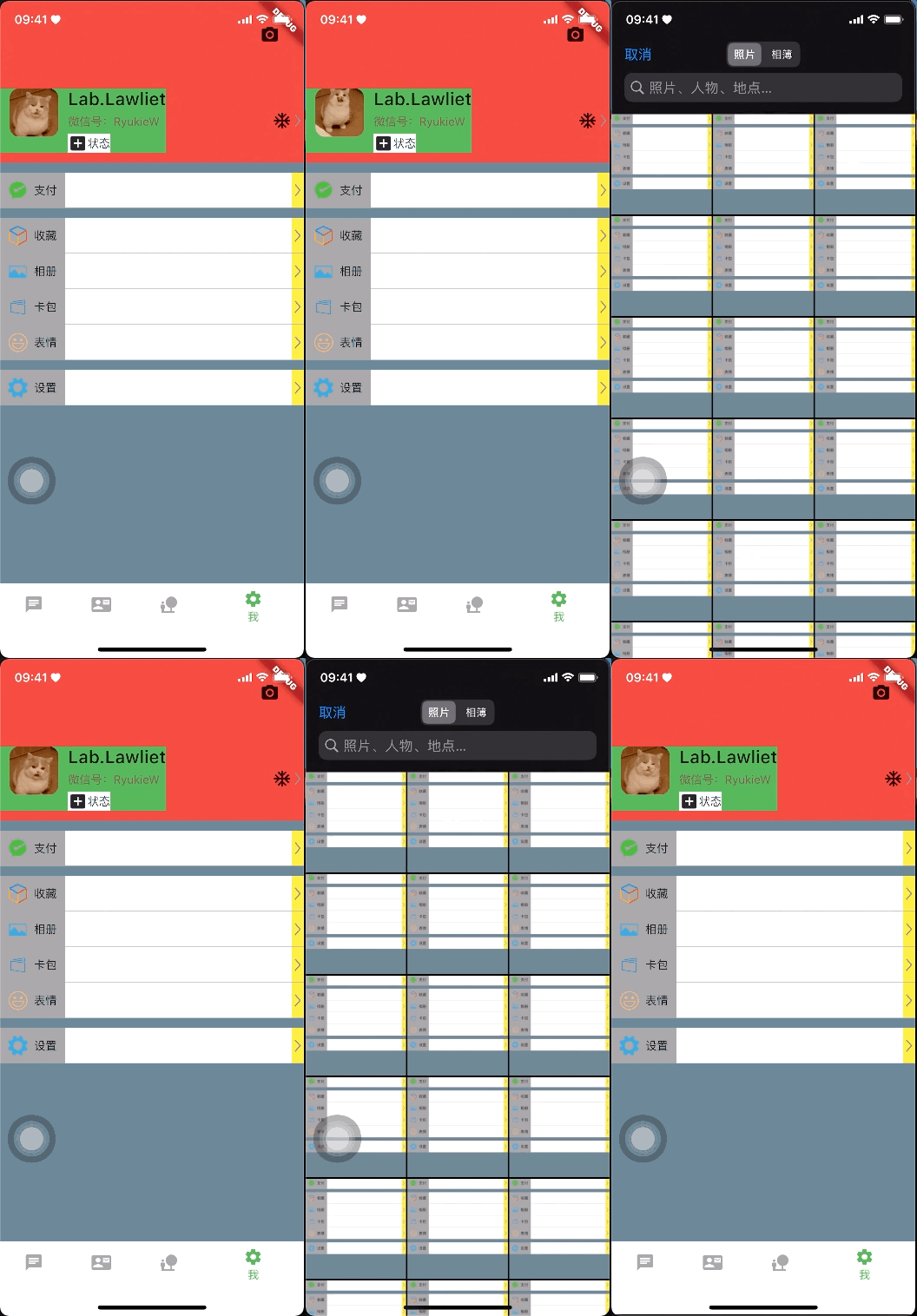
数据传递
通过检查选择完成后的回调我们发现 info 中包含的数据:
[__C.UIImagePickerControllerInfoKey(_rawValue: UIImagePickerControllerMediaType): public.image, __C.UIImagePickerControllerInfoKey(_rawValue: UIImagePickerControllerImageURL): file:///private/var/mobile/Containers/Data/Application/8A9A613F-32F9-4E45-8CB3-BB882CC9F590/tmp/3BC0596E-8B97-4E64-B260-269668F9CA73.png, __C.UIImagePickerControllerInfoKey(_rawValue: UIImagePickerControllerOriginalImage): <UIImage:0x281538f30 anonymous {1125, 2436} renderingMode=automatic>, __C.UIImagePickerControllerInfoKey(_rawValue: UIImagePickerControllerReferenceURL): assets-library://asset/asset.PNG?id=65B7A1B5-597F-4B97-B8E3-9CA019A9A526&ext=PNG]我们需要将图片路径回传给 Flutter 。
if let imgPath = info[UIImagePickerController.InfoKey.imageURL] as? URL { print(imgPath.absoluteString)}file:///private/var/mobile/Containers/Data/Application/EE26C1FB-3551-4454-8BAA-B62CADD2B311/tmp/C2302E64-C587-4975-9A24-BD43B34FA0F1.png
if let imgPath = (info[UIImagePickerController.InfoKey.imageURL] as? URL)?.absoluteString, imgPath.count > 8 { let path = String(imgPath.suffix(from: String.Index.init(utf16Offset: 7, in: imgPath))) print(path)}截取有效字段: /private/var/mobile/Containers/Data/Application/C7341168-0BCB-4712-8092-CB2661798888/tmp/828FF919-E315-4401-B76D-C774F5F2EF25.png
数据回传
if let imgPath = (info[UIImagePickerController.InfoKey.imageURL] as? URL)?.absoluteString, imgPath.count > 8 { let path = String(imgPath.suffix(from: String.Index.init(utf16Offset: 7, in: imgPath))) channel?.invokeMethod("rec_imagePath", arguments: path)}数据接收
final String _selAvatar = 'sel_avatar';final String _reciveImagePath = 'rec_imagePath';final MethodChannel _channel = const MethodChannel('mine_header/channel');
@overridevoid initState() { super.initState(); _channel.setMethodCallHandler( (call) async { if (call.method == _reciveImagePath) { print('${call.arguments}'); setState(() { _avatarPath = call.arguments.toString(); }); } });}得到: flutter: /private/var/mobile/Containers/Data/Application/336E79D6-B33A-4ABC-A380-4501E1550E1D/tmp/D50D8A94-3625-4CA7-8D2B-2C6AD0CCCC67.png
数据展示
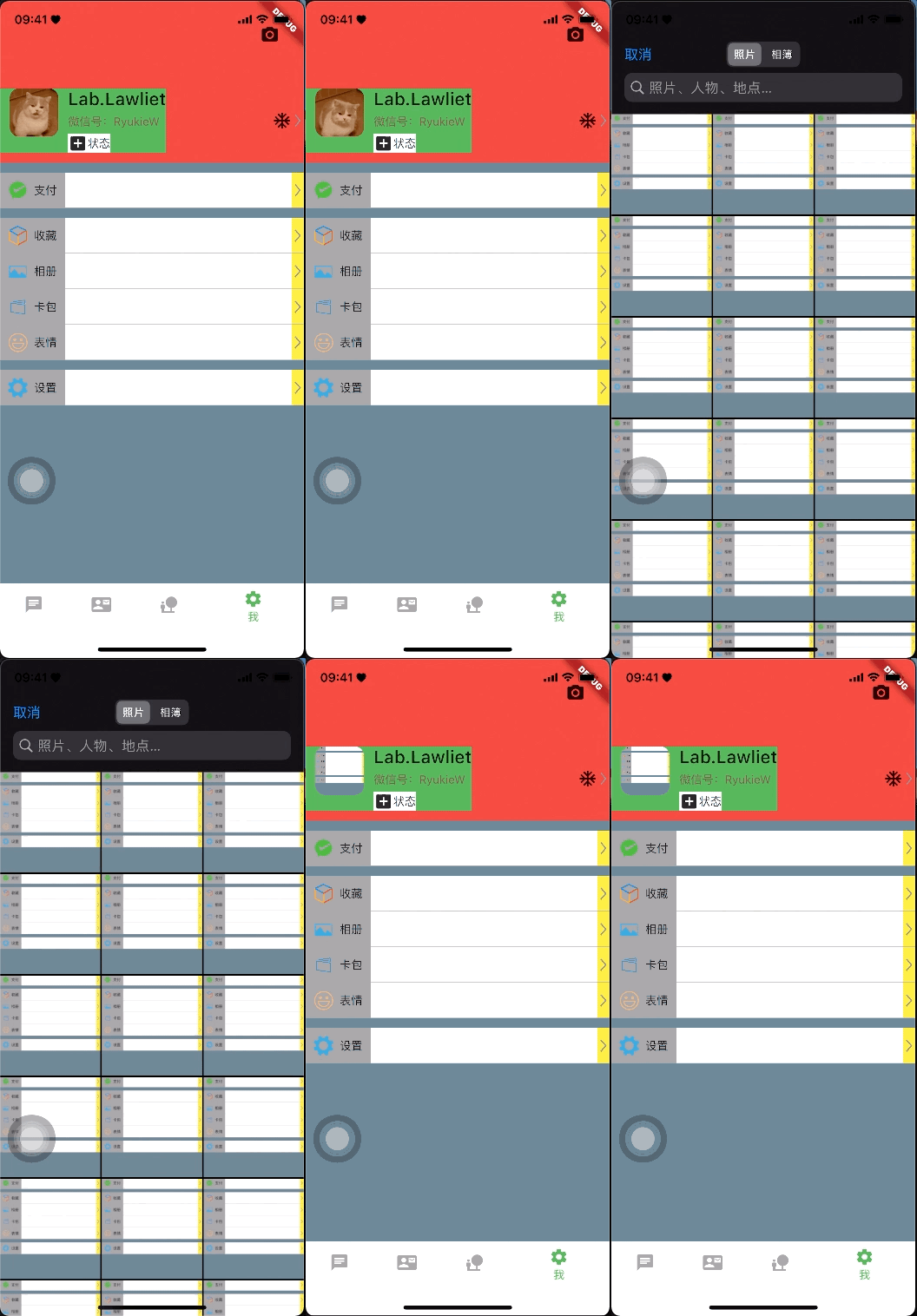
class MeHeaderView extends StatelessWidget { Function()? avatarTap; File? avatarFile;
MeHeaderView({this.avatarTap, this.avatarFile});
@override Widget build(BuildContext context) { return Container( ... decoration: BoxDecoration( image: DecorationImage( fit: BoxFit.fitWidth, image: (avatarFile == null ? const AssetImage('images/header_avatar.GIF') : FileImage(avatarFile!)) as ImageProvider, ), ), ), ... }}