

1191 字
6 分钟
栅栏函数
前言
最近在 Swift 中想用到栅栏函数,结果犯了难,怎么调用写不出来,也是稍微查了一下才知道怎么样用。
顺手总结回顾一下栅栏函数吧。
什么是栅栏函数
我们瞅瞅官方文档的定义:在并发调度队列中执行的任务的同步点
说人话:可以控制并发对列任务的执行顺序
1.1 常用的API
- dispatch_barrier_async
- 前面的任务执行完才会执行这里面的
- dispatch_barrier_sync
- 阻塞线程,前面的任务执行完才会执行这里面的,然后再执行后面的
下面我们看看实际的使用效果
二、 Swift 中该怎么写栅栏函数呢
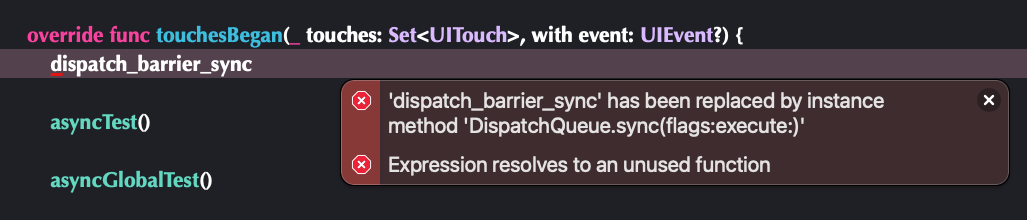
dispatch_barrier_async / dispatch_barrier_sync 这两个 API 是用不了的。
2.1 创建并发队列
根据提示,我们先创建一个队列:
let queue = DispatchQueue.init(label: "RyukieQueue", qos: .default, attributes: .concurrent, autoreleaseFrequency: .workItem, target: nil)- 参数
- label
- 队列名字
- qos
- 优先级
- attributes
- 属性列表,可以在这里设置同步异步(添加了
.concurrent就是并发对列,否则就是穿行队列)
- 属性列表,可以在这里设置同步异步(添加了
- autoreleaseFrequency
- block 内制动释放的频率
- target
- 想要 block 在哪个对列执行,默认是当前对列
- label
2.2 创建栅栏函数
通过文档发现这个API
- 参数
- group
- 调度组
- qos
- 优先级
- flags
- 附加属性,可以在这里设置为栅栏函数
- work
- block
- group
queue.async(group: nil, qos: .default, flags: .barrier) { xxx}三、 异步栅栏函数 + 自定义队列
let queue = DispatchQueue.init(label: "RyukieQueue", qos: .default, attributes: .concurrent, autoreleaseFrequency: .workItem, target: nil)
queue.async { print("1: \(Thread.current)") sleep(1)}// 异步栅栏函数queue.async(group: nil, qos: .default, flags: .barrier) { print("barrier - async: \(Thread.current)") for _ in 0...100 { print("...") }}
queue.async { print("2: \(Thread.current)")}
queue.async { print("3: \(Thread.current)")}
queue.async { print("4: \(Thread.current)")}
print("=========: \(Thread.current)")这里的代码你觉得会是怎么样的执行结果呢?
输出:
1: <NSThread: 0x6000018f1040>{number = 6, name = (null)}=========: <NSThread: 0x6000018b0800>{number = 1, name = main}barrier - async: <NSThread: 0x6000018f1040>{number = 6, name = (null)}...
......4: <NSThread: 0x6000018f6fc0>{number = 4, name = (null)}3: <NSThread: 0x6000018f0540>{number = 5, name = (null)}2: <NSThread: 0x6000018f1040>{number = 6, name = (null)}3.1 流程分析
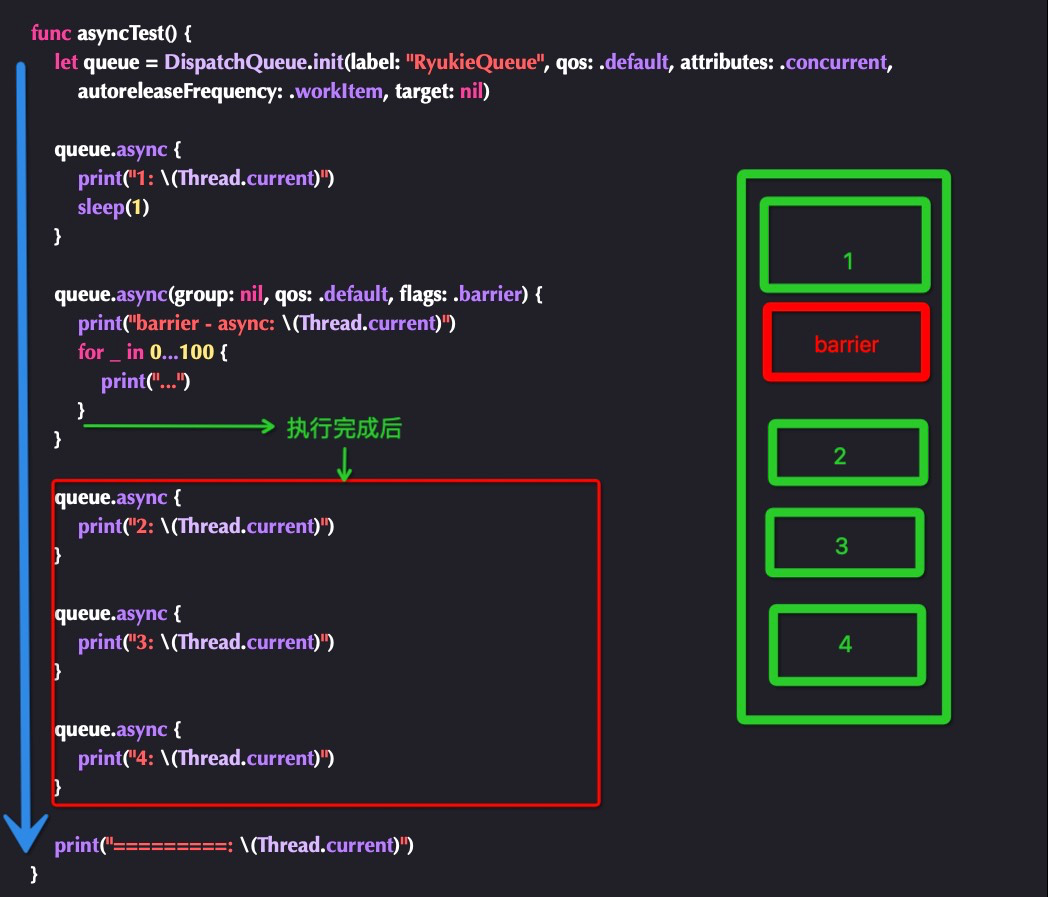
- 图中蓝线代表了代码执行的顺序
2/3/4异步任务顺序不一定相信大家很好理解- 队列中存在了
异步栅栏函数它之后的任务将不会得到调度 ======为队列之外的代码,所以不受异步栅栏函数影响,因为其他都是异步的任务,它输出位置不一定但是极大概率在异步栅栏函数之前执行
四、 同步栅栏函数 + 自定义队列
代码稍作调整:
let queue = DispatchQueue.init(label: "RyukieQueue", qos: .default, attributes: .concurrent, autoreleaseFrequency: .workItem, target: nil)
queue.async { print("1: \(Thread.current)") sleep(1)}
// 同步栅栏函数queue.sync(flags: .barrier) { print("barrier - sync: \(Thread.current)") for _ in 0...100 { print("...") }}
queue.async { print("2: \(Thread.current)")}
queue.async { print("3: \(Thread.current)")}
queue.async { print("4: \(Thread.current)")}
print("=========: \(Thread.current)")这里的代码你觉得会是怎么样的执行结果呢?
输出:
1: <NSThread: 0x6000038b3640>{number = 13, name = (null)}barrier - sync: <NSThread: 0x6000038f83c0>{number = 1, name = main}............
.........=========: <NSThread: 0x6000038f83c0>{number = 1, name = main}2: <NSThread: 0x6000038b3640>{number = 13, name = (null)}4: <NSThread: 0x6000038b3640>{number = 13, name = (null)}3: <NSThread: 0x6000038ddb00>{number = 11, name = (null)}4.1 流程分析
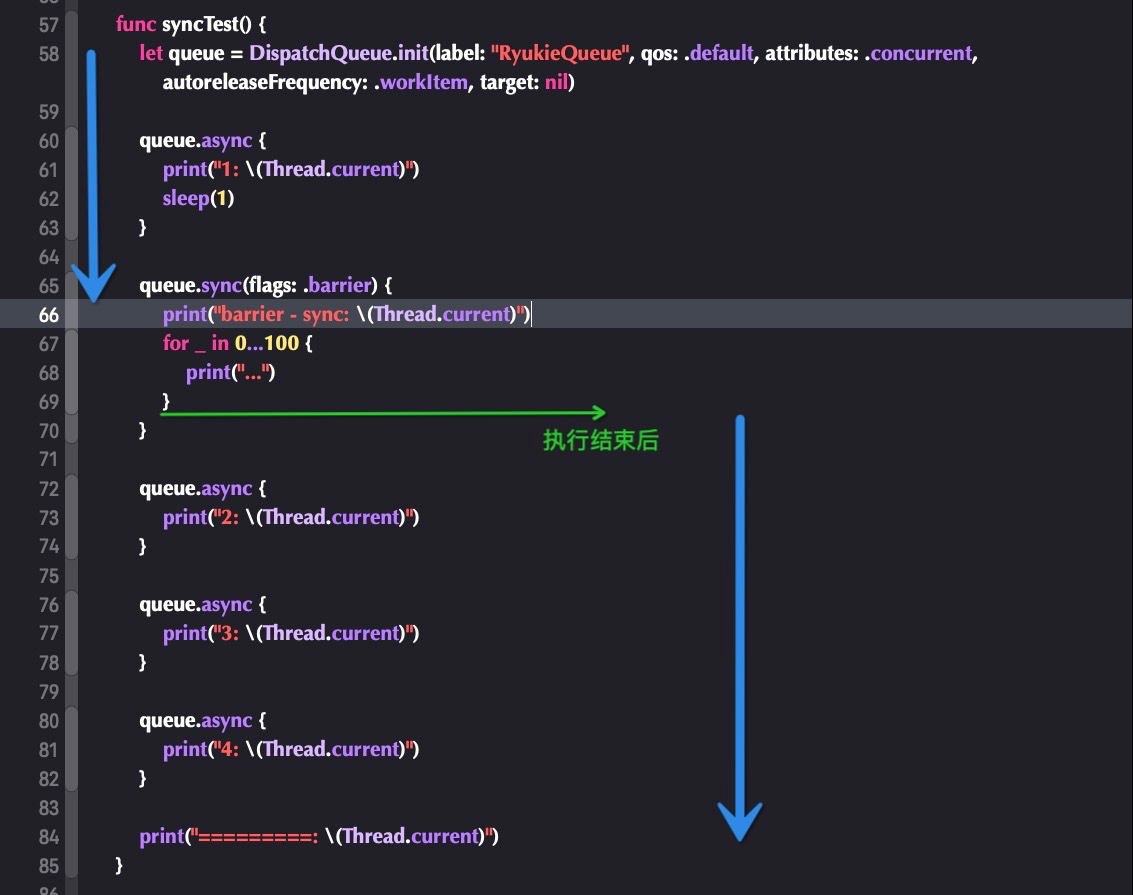
- 图中蓝线代表了代码执行的顺序
同步栅栏函数,会阻断当前代码区间线程代码的执行- 如图所示,只有当
同步栅栏函数内的任务执行完成,才会继续外部后续代码 - 所以
====&2/3/4一定在同步栅栏函数后
五、 全局并发队列
前面有提到,栅栏函数只能在并发队列中使用,但是上面都是用到了自定义并发队列。那么全局并发队列可以用么?来验证一下吧
5.1 异步栅栏函数 + 全局并发队列
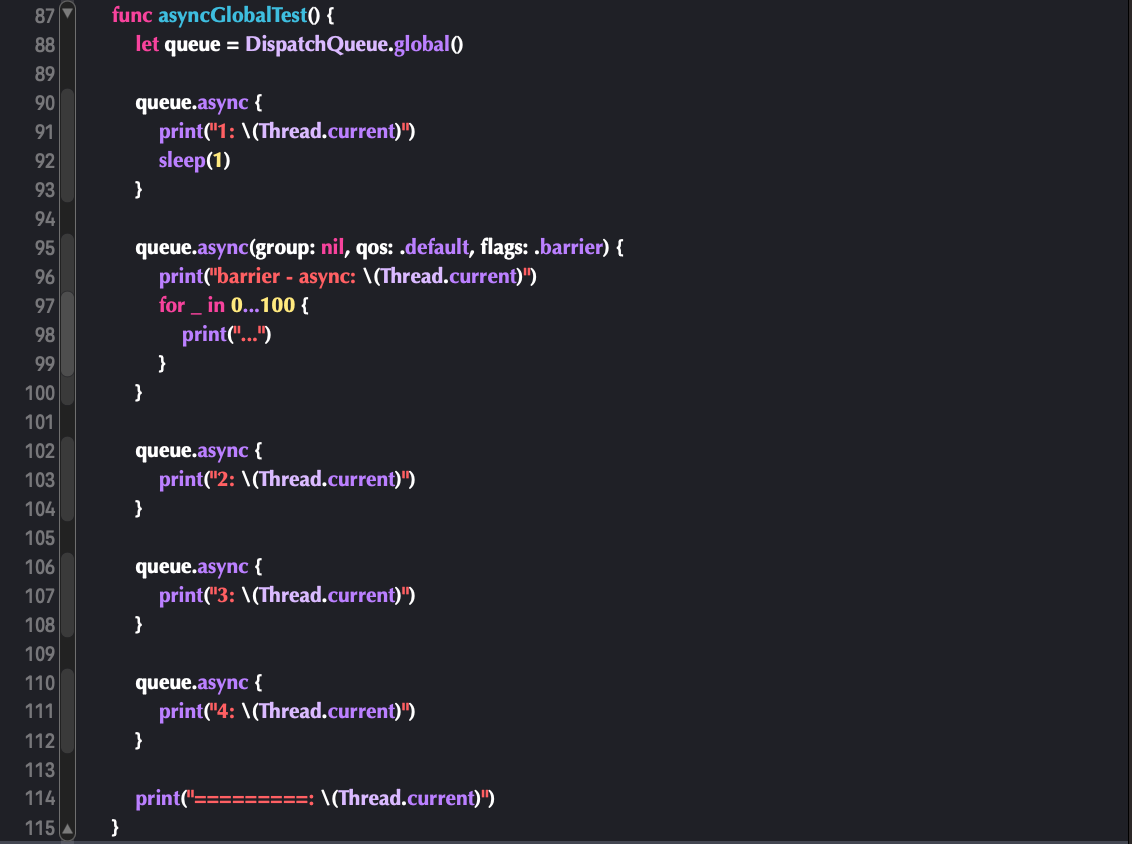
通过反复调试,发现栅栏函数失效了
2: <NSThread: 0x6000026bd280>{number = 7, name = (null)}=========: <NSThread: 0x6000026f0180>{number = 1, name = main}3: <NSThread: 0x6000026bc540>{number = 3, name = (null)}1: <NSThread: 0x6000026be080>{number = 6, name = (null)}4: <NSThread: 0x6000026f1bc0>{number = 5, name = (null)}barrier - async: <NSThread: 0x6000026bc540>{number = 3, name = (null)}.........下面再试试同步的
5.1 同步栅栏函数 + 全局并发队列
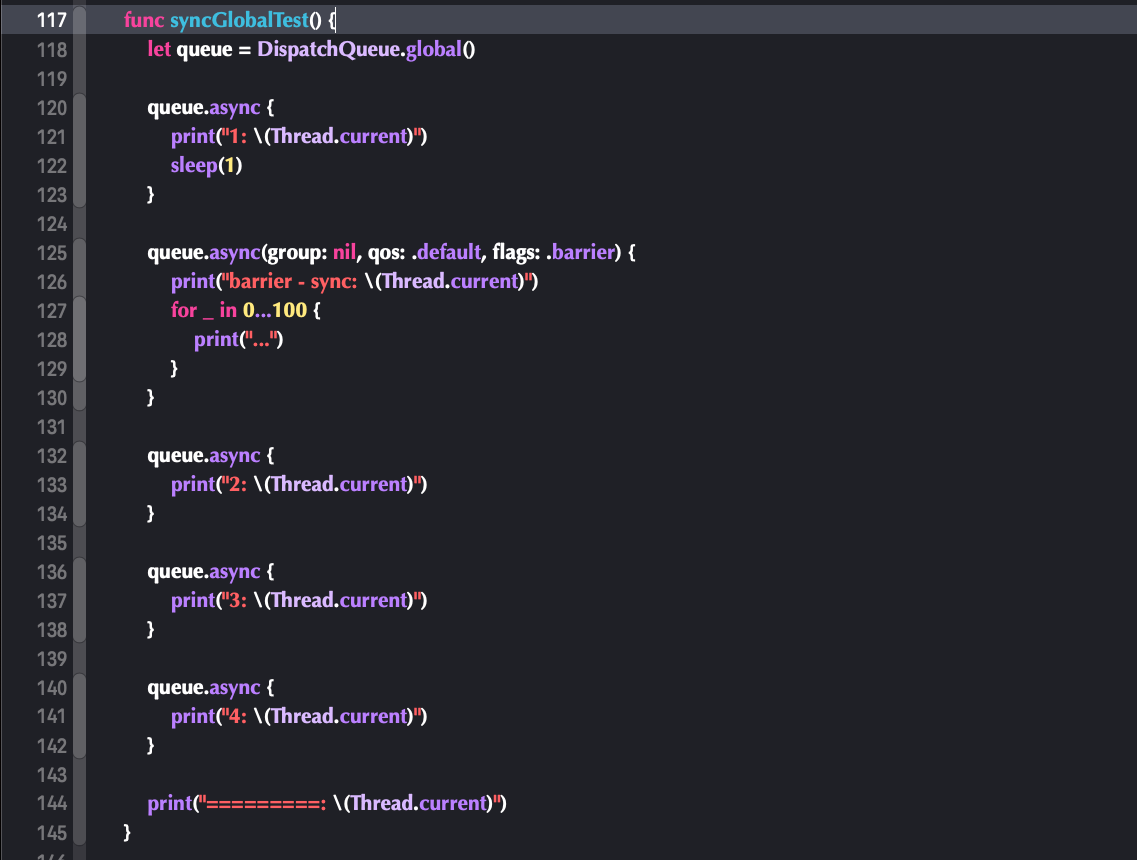
同样失去了原本的效果
barrier - sync: <NSThread: 0x60000156c800>{number = 1, name = main}...
............=========: <NSThread: 0x60000156c800>{number = 1, name = main}1: <NSThread: 0x60000152a280>{number = 9, name = (null)}2: <NSThread: 0x60000152c4c0>{number = 4, name = (null)}4: <NSThread: 0x600001528700>{number = 10, name = (null)}3: <NSThread: 0x60000152ec40>{number = 11, name = (null)}5.2 思考
全局对列作为全局的对列,会有很多任务,很多是我们不可控的,如果被阻拦下来了会导致很多未知问题。所以这里设计者就将其设计为六不可使用栅栏函数👍。
根据题的逻辑只有源码能够带来答案,有兴趣可以去GCD源码:libdispatch探索下